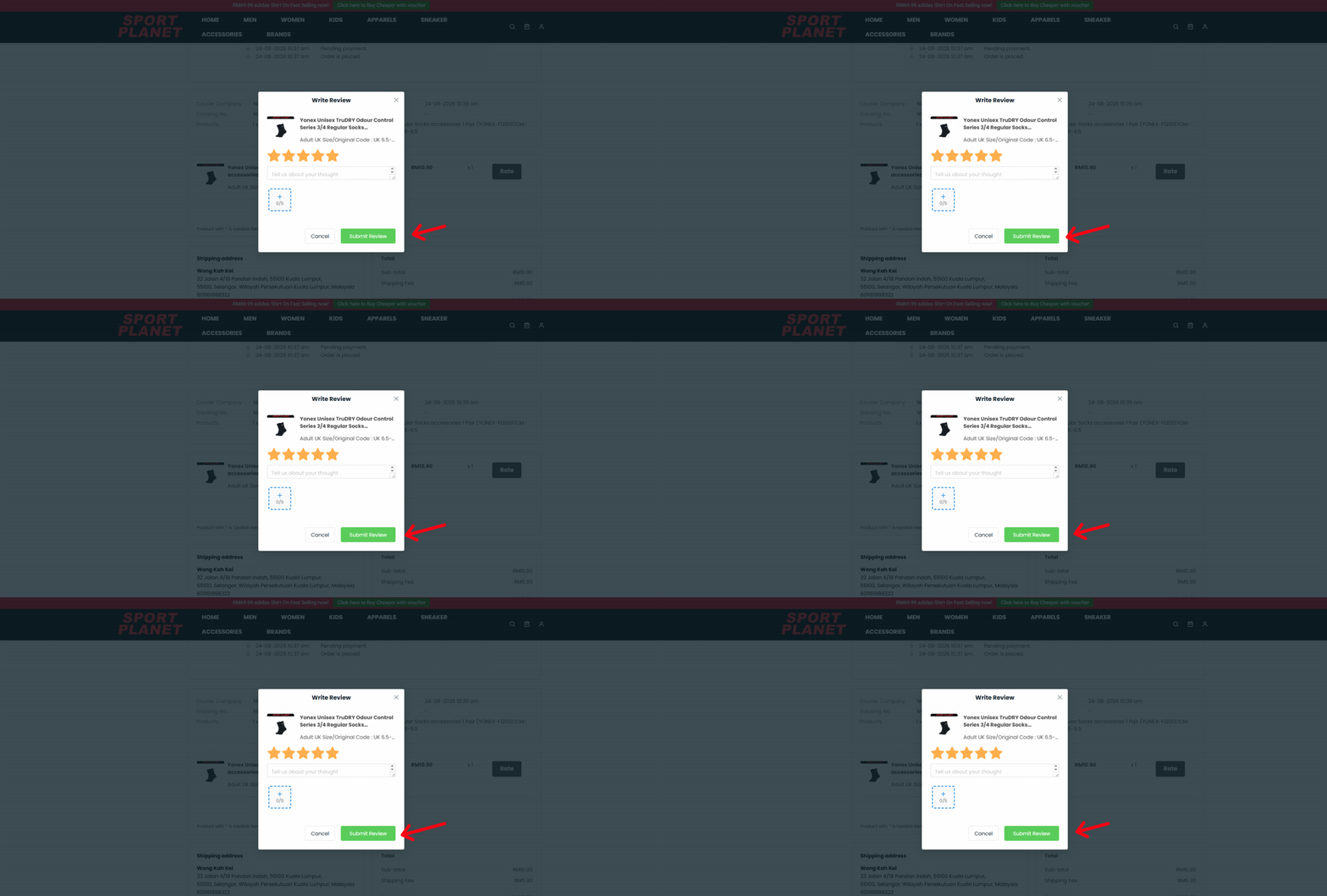
At Sport Planet, you can easily rate and review the products you have received. Follow our video and step-by-step guide below to leave your feedback and share your shopping experience.
HOW TO RATE ON PC
Watch our step-by-step video guide on how to rate and review your order using a PC or laptop.
HOW TO RATE ON MOBILE
Watch our step-by-step video guide on how to rate and review your order using a mobile phone.
01
OPEN PROFILE MENU
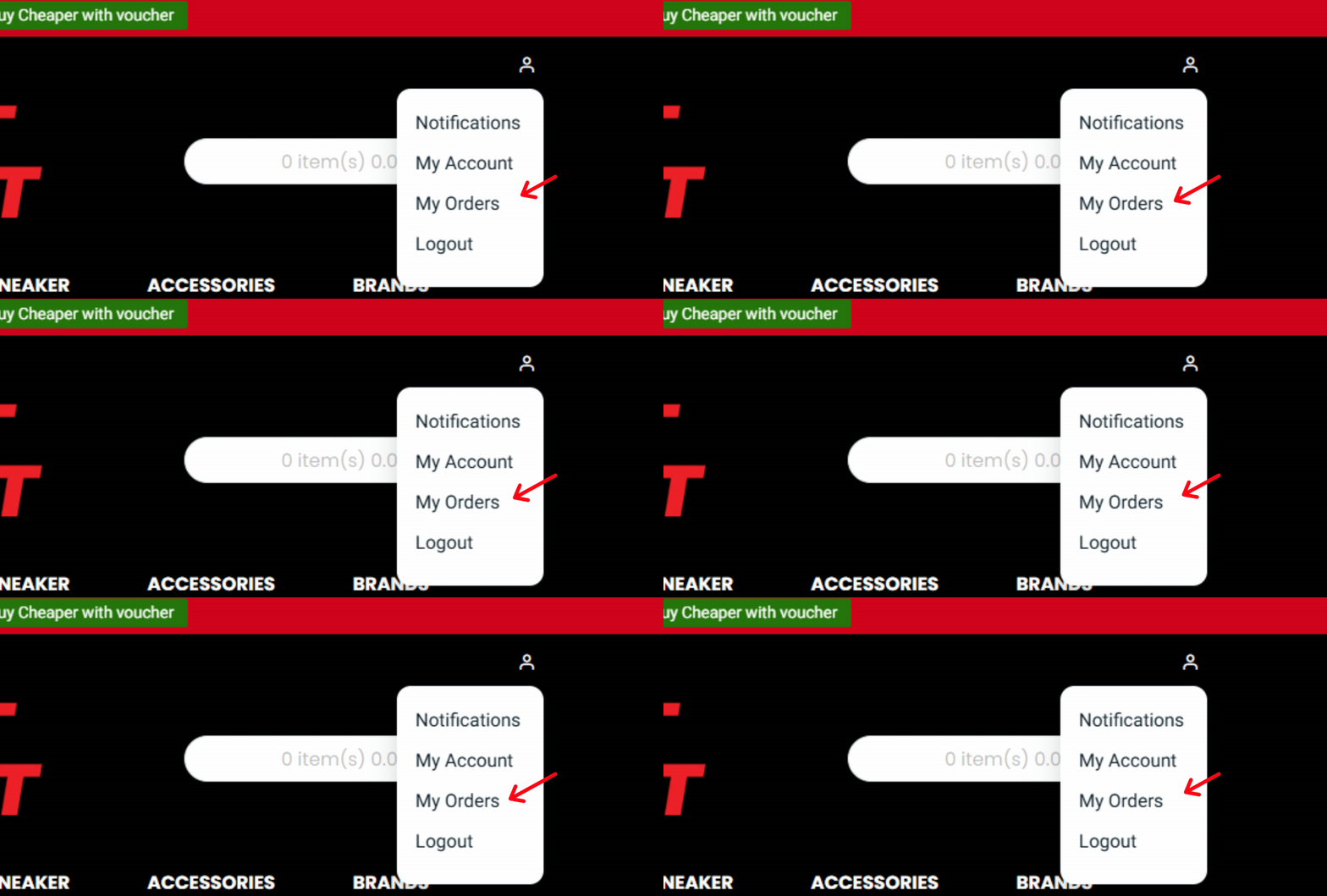
After logging into your account, you can review the products you've received by accessing the Profile Menu located next to the Shopping Cart icon. Simply click on the Profile Menu to proceed.
02
SELECT completed ORDERS
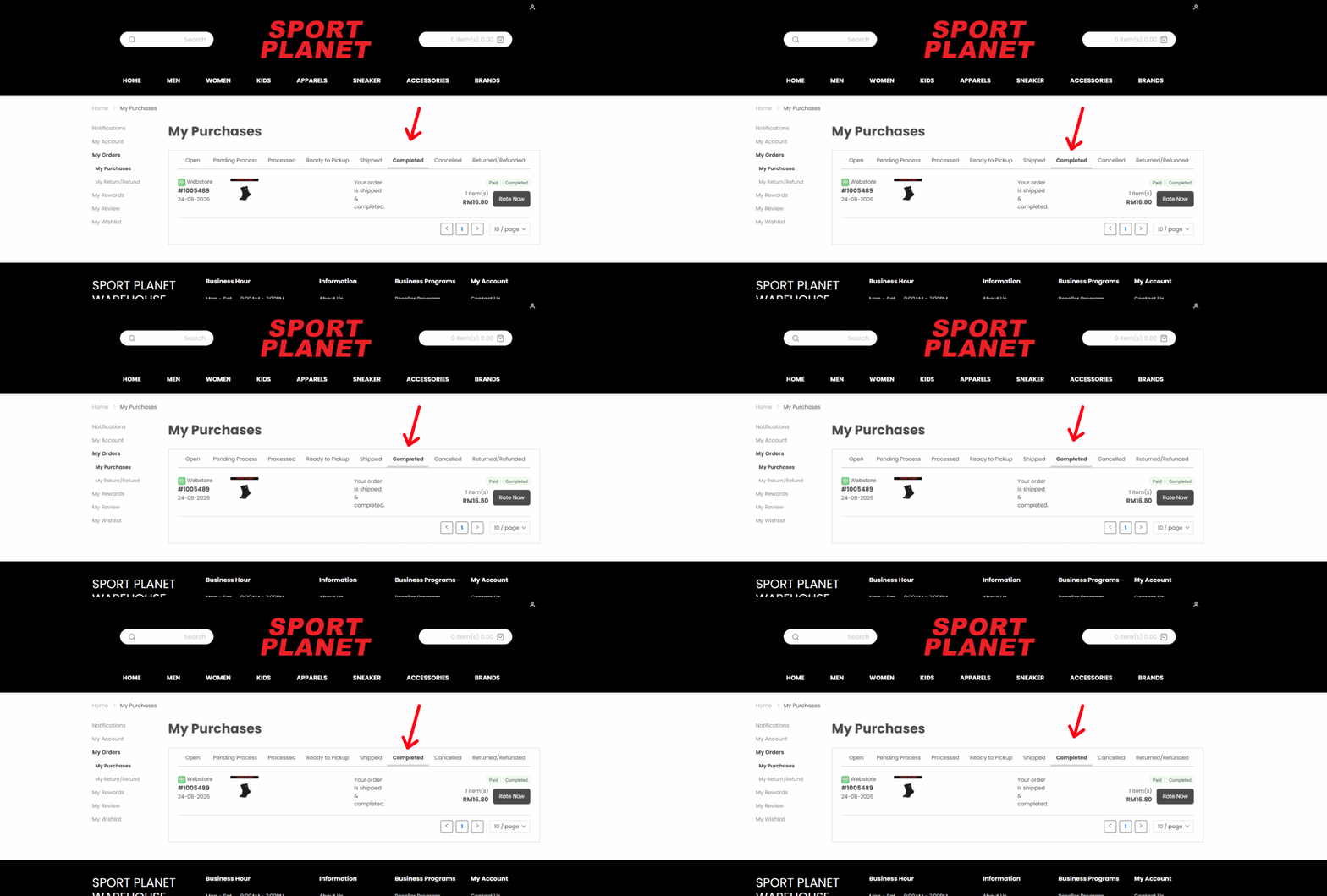
Once you click on the icon, the Profile Menu will appear. From there, navigate to the My Orders section and click on Completed Order
03
click rate it
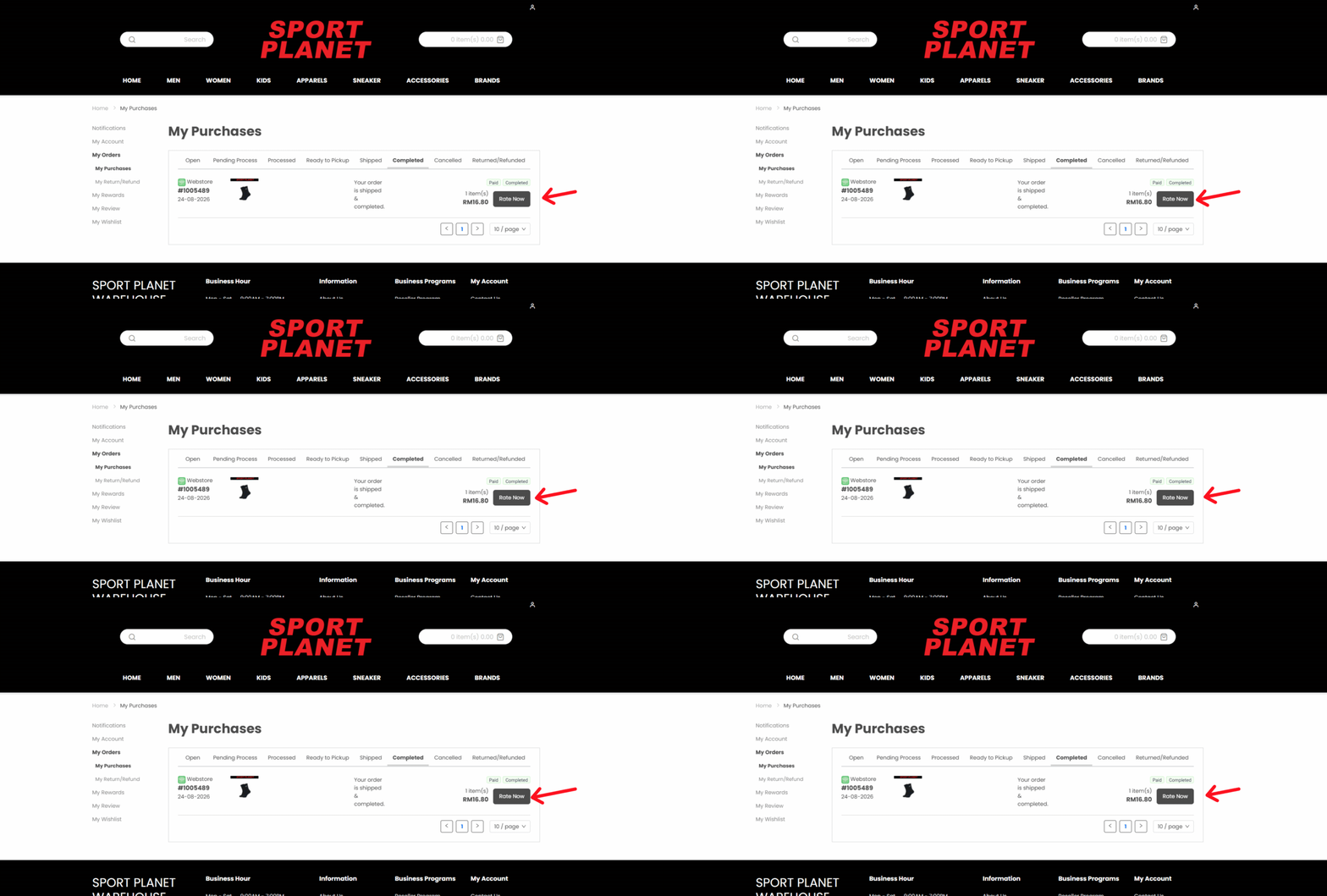
After clicking on Completed, you will be directed to your Order History. From there, search for the order you want to review and click on Rate Now
04
write your review
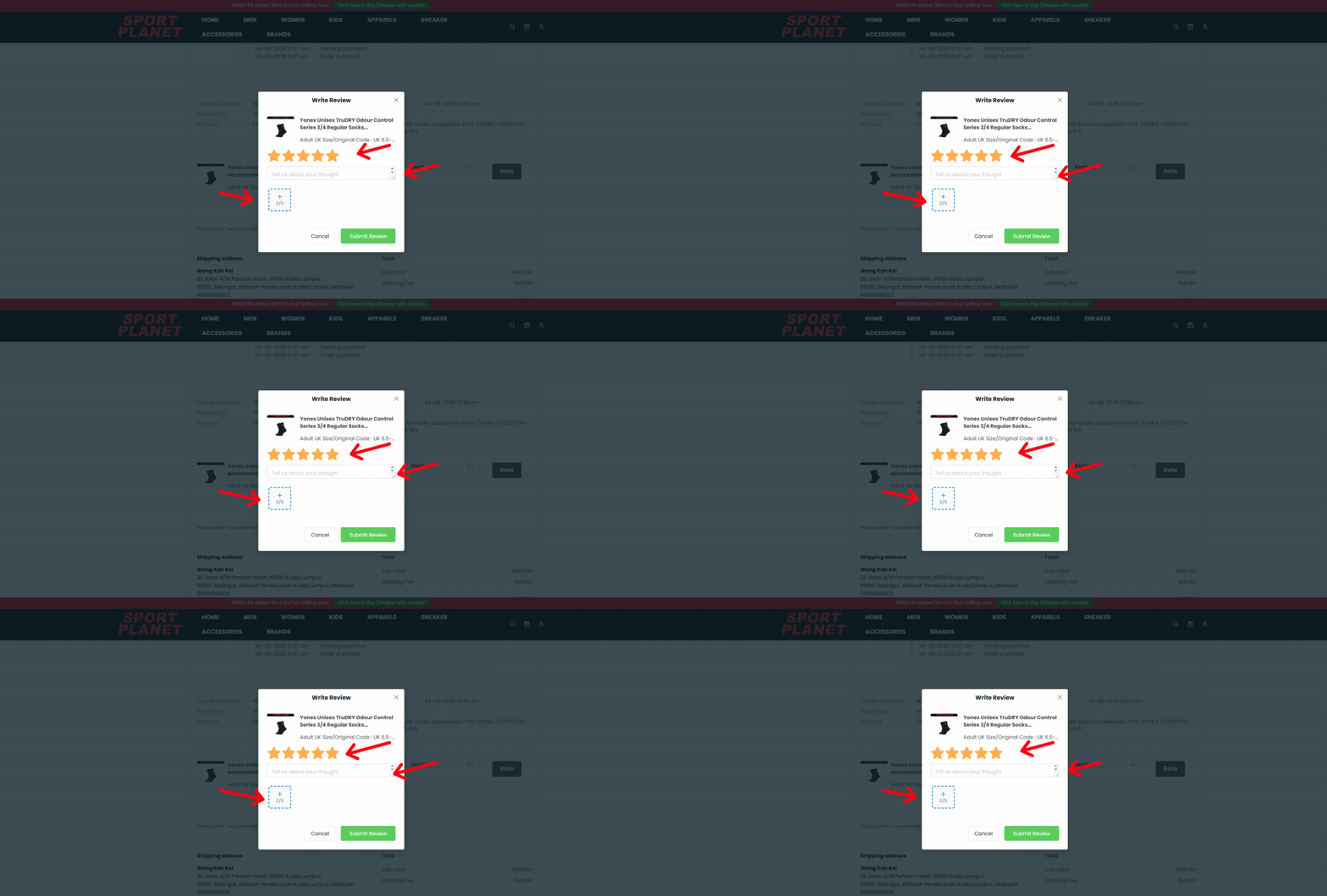
When you click on the Rate It button, a feedback menu will appear. In the description section, you can type your comments or satisfaction with the product. You can also upload photos of the item you purchased. We appreciate your feedback and hope you consider leaving us a 5-star rating.
05
SUBMIT YOUR REVIEW
Thank you for leaving us a review! Once you're happy with your feedback, click Submit Review to complete it.